
使用manjaro(或arch linux)開啟vmware network editor出現以下的錯誤
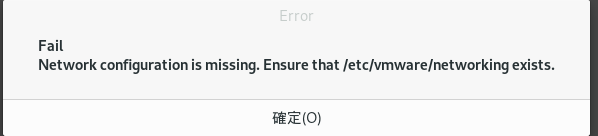
只要在 terminal 打入 systemctl start vmware-networks-configuration 就可以囉
最近要登入 google compute engine 發現要用 ppk 檔才能使用 ftp
所以就找了教學 順便紀錄一下
先安裝 putty 的套件
On arch linux
pacman -S putty
On RHEL/Centos:
yum install putty
On Fedora:
dnf install putty
On Debian/Ubuntu
apt-get install putty-tools
安裝好之後 就打上指令
puttygen keyname -o keyname.ppk
安裝好之後 就打上指令
例:puttygengoogle_compute_engine -ogoogle_compute_engine.ppk
相關網站
https://haydenjames.io/how-to-convert-openssh-keys-to-putty-ppk-on-linux-with-puttygen/
紀錄下來備忘一下
# ssh該 Email 地址已受到反垃圾郵件外掛保護。要顯示它需要在瀏覽器中啓用 JavaScript。 -p1234
參考網址
https://phoenixnap.com/kb/ssh-to-connect-to-remote-server-linux-or-windows

進入 /etc/profile.d 目錄
# cd /etc/profile.d
將目錄下的 vte-2.91.sh 改名為 vte.sh
# cp vte-2.91.sh vte.sh
關閉 terminal 重開即可解決
在ubuntu 17.04安裝好vmware workstation之後會出現下面這畫面
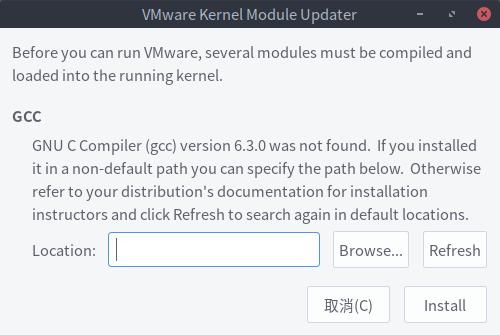
畫面顯示找不到GCC元件
於是就來安裝GCC與MAKE套件
開始終端機並輸入 sudo apt install gcc make按下enter
並輸入您的密碼

按下Y同意安裝
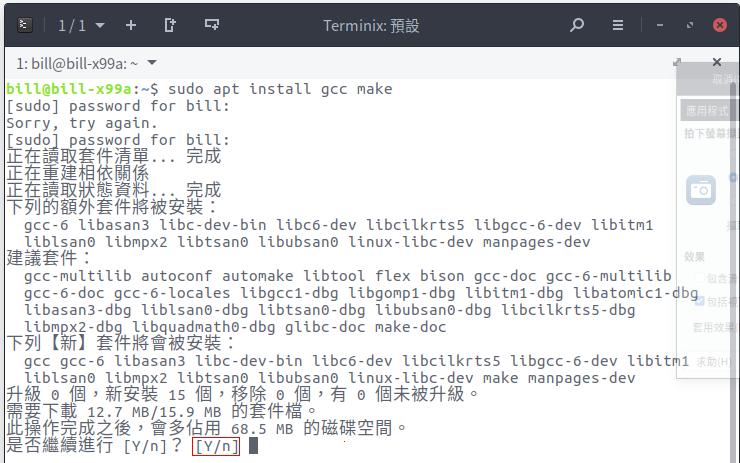
安裝好就可以開啟囉
打完收工
第 2 頁 共 2 頁