
使用 php composer require phpoffice/phpspreadsheet 出現
PHP Fatal error: Allowed memory size of 1610612736 bytes exhausted (tried to allocate 4096 bytes) in phar
解決方法:
改用 php -d memory_limit=-1 composer require phpoffice/phpspreadsheet 即可解決
參考:
https://getcomposer.org/doc/articles/troubleshooting.md#memory-limit-errors
打開終端機輸入
ssh-agent bash

再輸入 ssh 檔案的位置

ssh-add /path/ssh-key.pem

會出現要輸入金錀的密碼

Enter passphrase for ssh-key.pem:

然後就會 ssh-key 載入的訊息

Identity added: ssh-key.pem

這樣就可以還原了

參考連結:

https://askubuntu.com/questions/362280/enter-ssh-passphrase-once
安裝好初次用root登入時,會出現#1698 - Access denied for user 'root'@'localhost'
很順利的找到的解法(原來不是只有我遇到呀(汗
只要先用root的權限登入本機mysql
sudo mysql -u root -p
然後打入
CREATE USER 'pmauser'@'%' IDENTIFIED BY '輸入自訂密碼';
GRANT ALL PRIVILEGES ON *.* TO 'pmauser'@'%' WITH GRANT OPTION;
※pmauser 可自訂
這樣無論是本機使用mysql登入還是phpmyadmin就都可以順利使用囉
參考網址
https://devanswers.co/phpmyadmin-access-denied-for-user-root-localhost/
今天開機進 zorin os 的時候
卡在 [OK] Started Gnome Display Manager 的狀態中
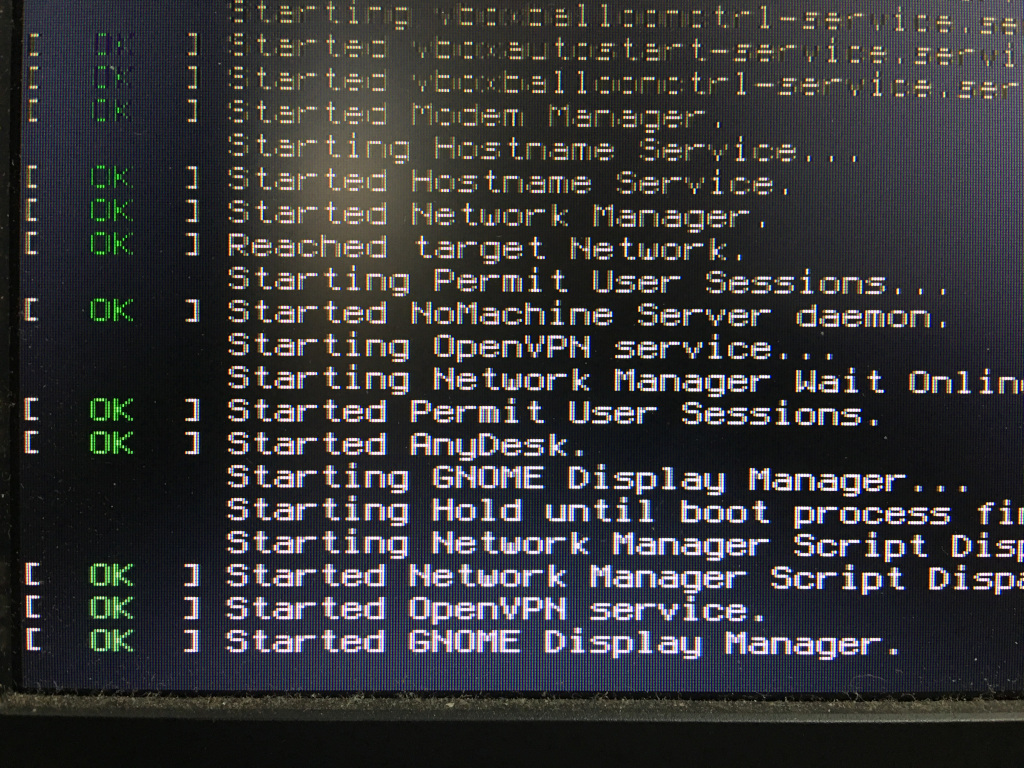
先按ctrl+alt+F2-F6到任一終端畫面上登入
如無法正常登入 請先進入 recovery mode
如不知如何進 可參考這裡
https://blog.csdn.net/xixihaha331/article/details/64919059
輸入
sudo apt purge nvidia-* -y
再重新開機就可以正常開機了
參考資料:
https://blog.csdn.net/weixin_43860881/article/details/87965708
https://blog.csdn.net/BigData_Mining/article/details/102548368
在開啟虛擬機時會出現 Could not connect 'Ethernet0' to virtual network '/dev/vmnet0' 之類的錯誤提示訊息
只要打開命令提示字元
輸入 sudo modprobe vmnet && sudo vmware-networks --start

就可以正常使用了
第 1 頁 共 2 頁